← All programs
Total Battle · automatic search
Market Finder - find markets
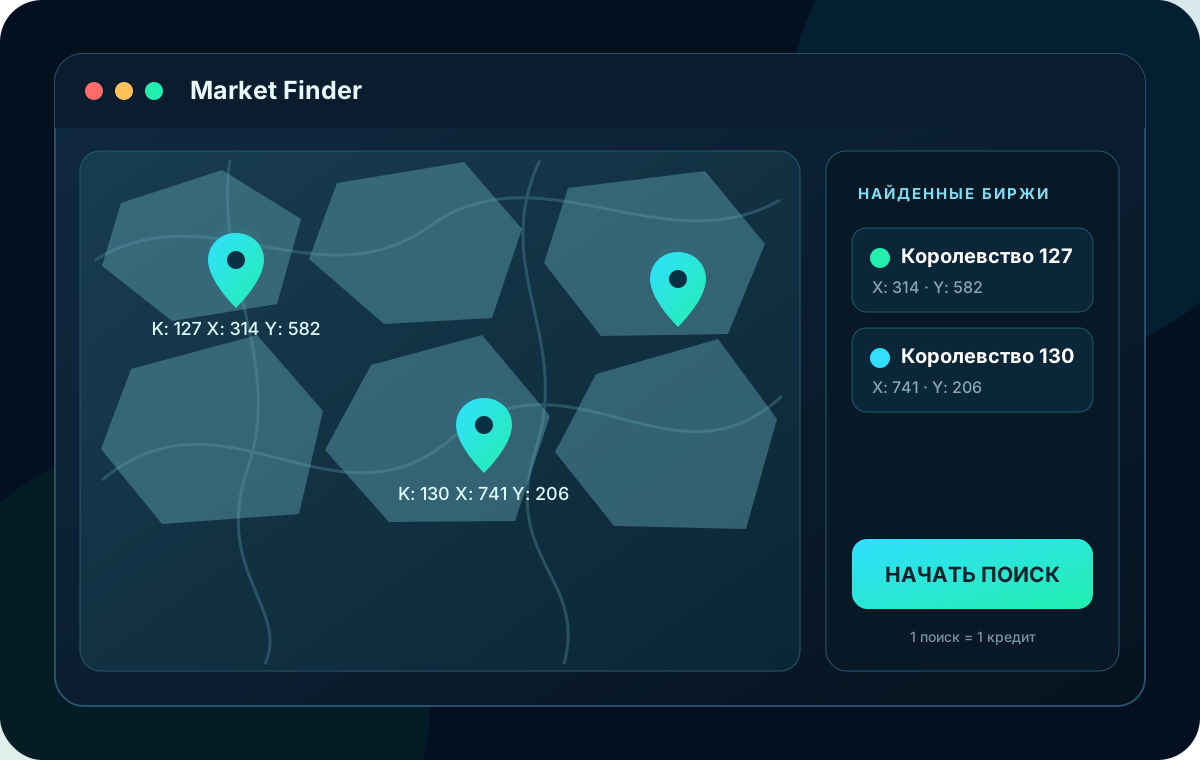
Automatically finds Mercenary Exchanges in one or more kingdoms, keeps a shared coordinate list, and helps you jump to every result.
Cost: 50 ₽ · €0.50 · $0.50
About the program
Less routine tasks.
More control.
Market Finder opens Total Battle in its built-in browser. Enter one kingdom, a 56-60 range, a 56, 57, 60 list, or a mixed selection. The app visits the kingdoms in order, waits for the map, and runs the search. Results remain until you clear them, with new exchanges shown first. A kingdom with at least one exchange costs 1 token; an empty result costs 0.2 token; a technical failure returns the reserve. Billing is per kingdom search, not per exchange found. For example, if 12 exchanges are found in one kingdom, only 1 token is charged, not 12.
✓
Search for Mercenary Bourses in Total Battle
✓
Work with multiple kingdoms in one list
✓
Work with multiple kingdoms in one list
✓
Save found coordinates between launches
✓
Quick navigation to selected point on the map
✓
Per kingdom search: 1 token for any number of exchanges found; 0.2 token when none are found; refund on technical failure
✓
Token Balance
✓
Interface in 18 languages including right-to-left Arabic script support
Video instructions
Market Finder at work
See how to connect the program, specify one or more kingdoms and start searching for Mercenary Exchanges.
Rutube
Open video on Rutube → How it works
Search in several kingdoms at once
Specify one kingdom, range, or list. For example: 56-60, 56, 57, 60 or 56-60, 72, 80-85.
Top up balance
Choose a convenient token package.
Specify kingdoms.
Enter a number, range or list separated by commas - spaces don't matter.
Start search
The program will check the kingdoms sequentially. The general list will remain, and new exchanges will appear at the top.
Market Finder tokens
Choose a package
Exchange found - 1 tokenThere are no exchanges - 0.2 tokens. In case of a technical error, the reserve is returned. Payment is available only in your account dashboard.
Y
Payment in rubles
1 ₽ / tokenYKassa
50tokens50 ₽
100tokens100 ₽
300tokens300 ₽
500tokens500 ₽
1000tokens1 000 ₽
V
Dollars and crypto-currencies
$0.01 / tokenVolet
50tokens$0.50
100tokens$1.00
300tokens$3.00
500tokens$5.00
1000tokens$10.00
PayPal
Payment currently unavailable
Golden Crown
Payment currently unavailable
Payment is only available in personal cabinet.
Version 2.0.22
System requirements and platforms
The availability of each installation file is managed separately.
Windows
Windows 10 (1809 and later) or Windows 11, x64. Built-in Microsoft WebView2 browser.
Download 2.0.22Linux x64
Linux x64 with graphical environment and WebKitGTK/WPE WebView.
Download 2.0.22macOS Intel
macOS for Intel-based Macs. Built-in WKWebView.
Download 2.0.22macOS Apple Silicon
macOS for Mac computers with Apple Silicon. Built-in WKWebView.
Download 2.0.22To work, you need an Internet connection, a Total Battle account and an activated CLANPLAY license. 18 interface languages are supported.
Questions about the program
Ask before purchase
CLANPLAY team will respond, and useful answers will be available to other visitors.
To ask a question, Login or Create an account.
No published questions yet. Be the first.