CLANPLAY
Promotions Clans Tools Programs VPN Silver Receive Payment Licenses Contacts
LoginRegistration
🦖Dino VPN Home
Connect
iOS · iPhone / iPadAndroidWindowsmacOSAndroid TV / Apple TVLinux
Troubleshooting
SmartphoneComputerOther
About the service
Plans and paymentManage devicesPartner programmeGift a subscription

CLANPLAY partner page. Connection buttons use our Dino referral link.

← Home

DINO / VPN

Linux

INCYHappKoala Clash

How to connect

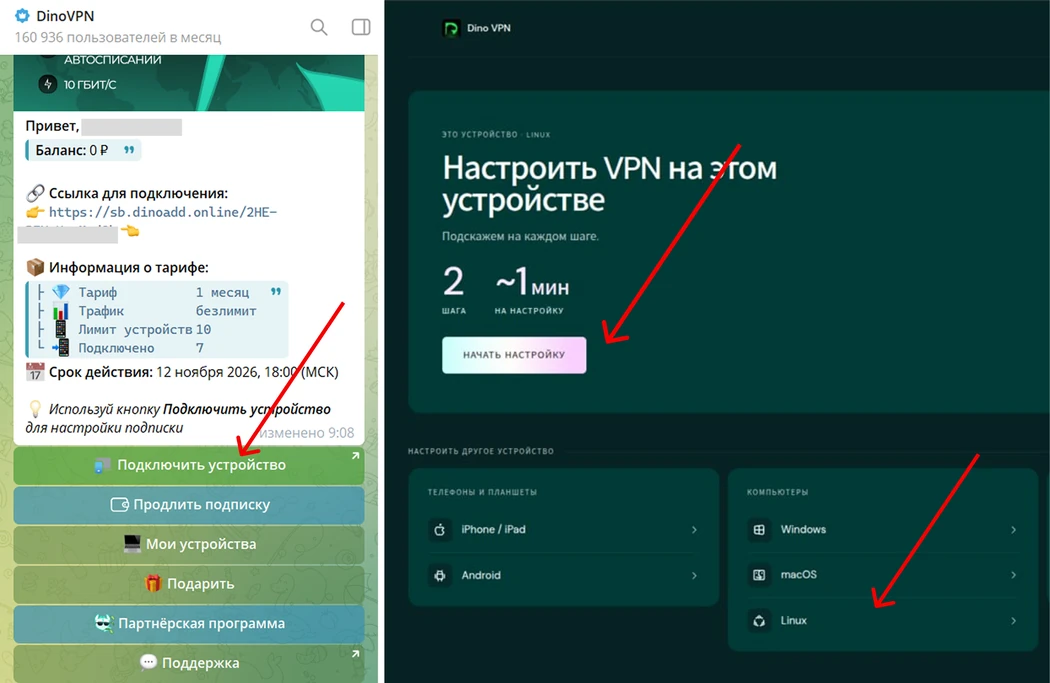
  1. Open the bot, choose Start → Connect a device, then select your platform.
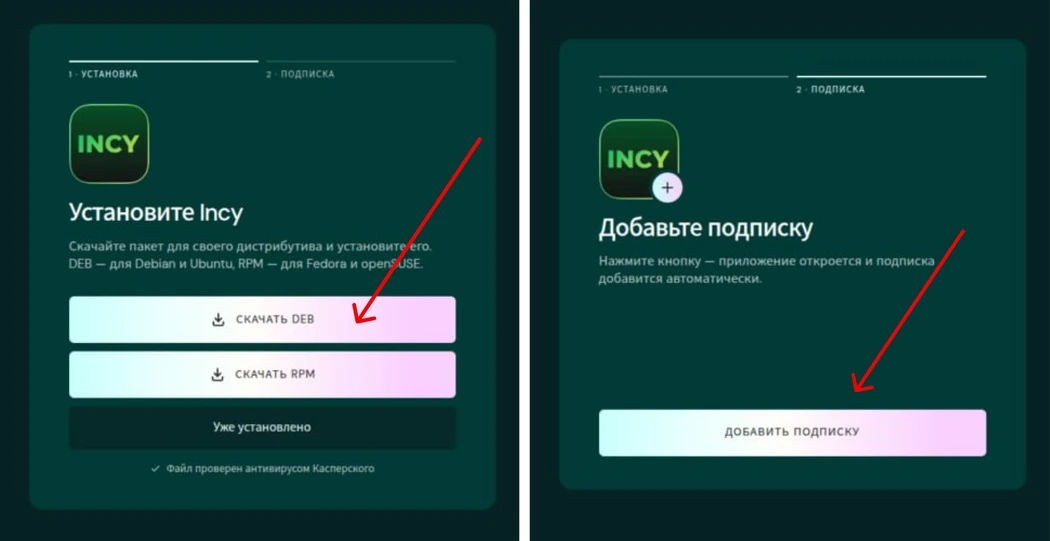
  2. Install the recommended app and add your subscription using the bot button.
  3. Choose a country/server in the app and turn on the connection.

If automatic import does not open, copy your subscription link from the bot account and import it into the app manually.

If the first app does not connect, return to the bot setup and choose VPN is not working to see an alternative.

Open Dino in Telegram ↗
Illustrations from the Dino guide
Linux · Illustrations from the Dino guide 1
Dino · 1
Linux · Illustrations from the Dino guide 2
Dino · 2

Information source: dino-help.com · Checked: 2026-11-13

CLANPLAY partner page. Connection buttons use our Dino referral link.

CLANPLAY

Licensed programs for players and teams.

For buyers

ChestMasterSilverOrder receiptPayment methods

Help

FAQHelp for players and clansInvite a clanContacts and detailsRefund

Documents

Cookie settingsPublic offerPrivacyTerms of use
© 2026 CLANPLAYSelf-employed Zvetkov Sergey Vladimirovich · INN 774313000779
Cookie settings

Essential cookies remember your login, language and settings. With your permission, Yandex Metrica, Webvisor and Google Analytics help us understand how the site is used. Analytics is optional. Learn more