DINO / VPN
Windows
HappKoala ClashINCY
How to connect
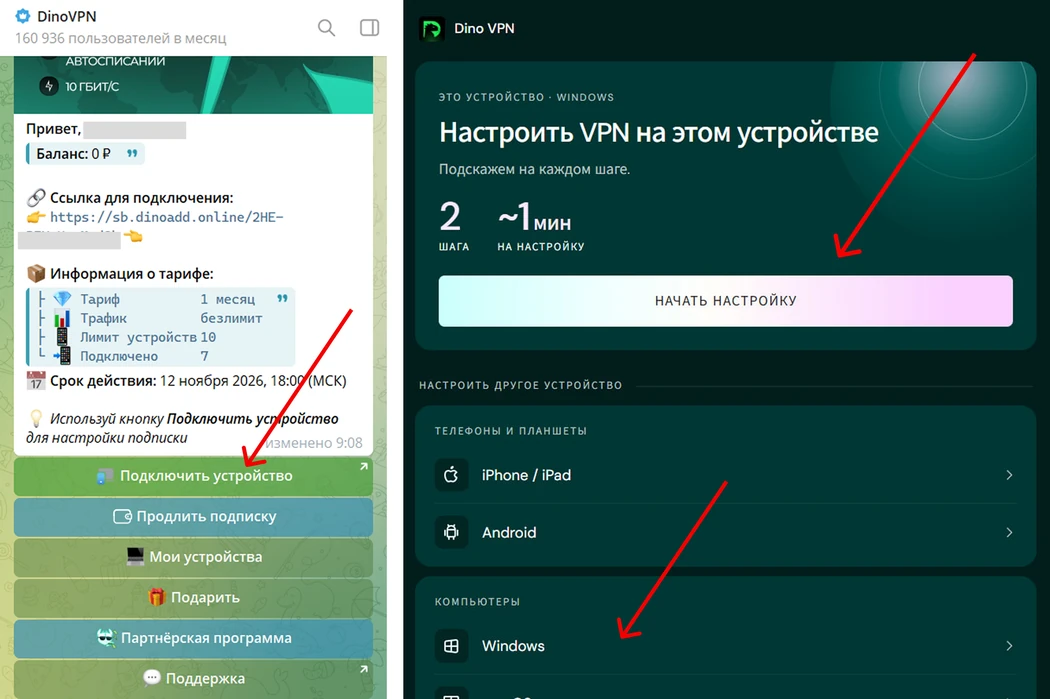
- Open the bot, choose Start → Connect a device, then select your platform.
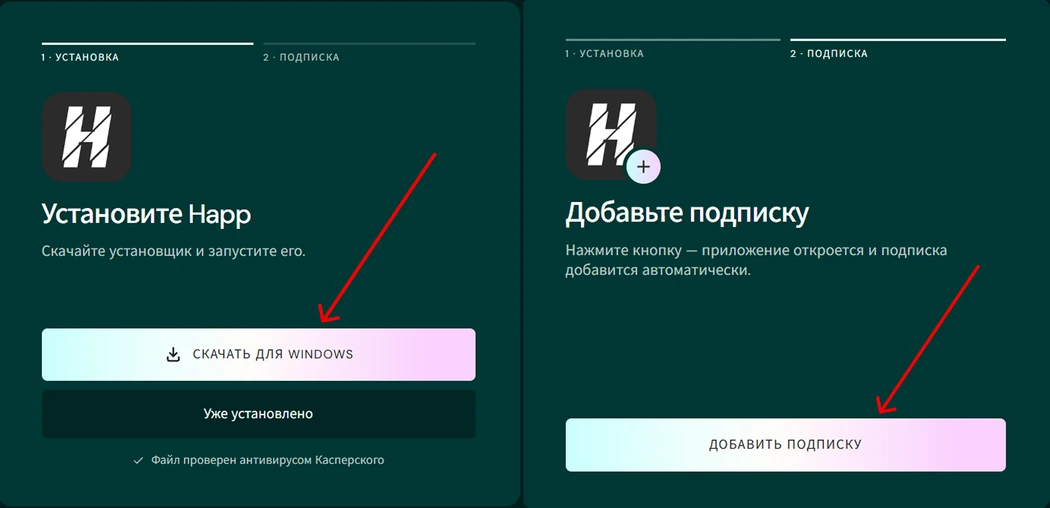
- Install the recommended app and add your subscription using the bot button.
- Choose a country/server in the app and turn on the connection.
If automatic import does not open, copy your subscription link from the bot account and import it into the app manually.
If the first app does not connect, return to the bot setup and choose VPN is not working to see an alternative.
Update the app and subscription and restart the computer. Dino does not support Windows 7 or 8. If connecting interrupts internet access, check proxy settings and contact support through the bot.
Illustrations from the Dino guide